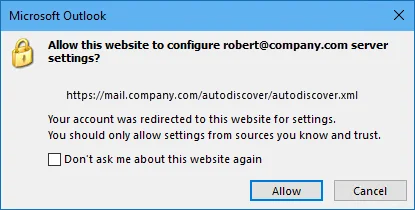
Prevent autodiscover on Exchange server after an Office 365 Migration
This article teaches you how to prevent autodiscover from happening on Exchange Server. This is important on an Office 365 migration when you still ne...
Collection
This article teaches you how to prevent autodiscover from happening on Exchange Server. This is important on an Office 365 migration when you still ne...
This post goes over how to grant full access to all public folders for a user in Microsoft Exchange. I recently was migrating all public folders from...
This guide goes over how to Move Website from Linux to IIS. If you& 8217;re in the tech field, you probably see moving from Linux to IIS on a WordPres...
I recently had a server freeze up when I wasn& 8217;t on site and needed to power cycle it. I had configured iDrac before but it was not responsive. H...
Does your GFI Archiver resource usage SQL process ballon over 8GB? If so, the following procedure will reduce usage by about half and fix many perform...
The following article fixes the Outlook security certificate error your users get when they connect to your exchange server internally. This is typica...
This error message is displayed and I cannot rename folders on the mapped drive. By making a group policy change I was able to make this error go away...
The Import service can get stuck and this will stop all the mail in the MAIS Queue Folder. These are the emails that have not been processed and added...
The following walkthrough shows you the process of moving GFI MailArchiver to another server.
Configuring SQL Authentication can be tricky at times, and this is a great article that goes over the two types of authentication in SQL. I find some...