Installing Appx Without Microsoft Store

Do you have a bare version of windows LTSC or highly stripped out ISO image that doesn’t have the Microsoft Store? This is the guide to show you how to install appx and other apps without it.
Winget Installation
Using the powershell and a couple projects we can install winget. You need the Microsoft sanctioned script repository called PSGallery. It has some system admin scripts that are clutch when all you have is powershell.
What this does
It grabs the script from https://www.powershellgallery.com/packages/winget-install/0.0.4 and runs it. The script itself utilizes NuGet and other tools that are in every Windows installation to install the dependancies, before retrieving the winget packages.
Why this is better
This way is far superior to other methods as most will fail in a stripped down Windows like the one made from my NTLite Build.

The package that is often missing and hard to install manually is Microsoft.UI.Xaml the typical method to install this is using NuGet Package Manager inside of Visual Studio. You can track down the exact version and appx file from Microsoft’s repository here: https://store.rg-adguard.net/, but this is overly cumbersome and why I recommend the PSGallery approach.
How to Manually get ANY Appx
Using the https://store.rg-adguard.net/ site we can snatch any appx as long as we know the package name.
Get product id from https://apps.microsoft.com/store/apps
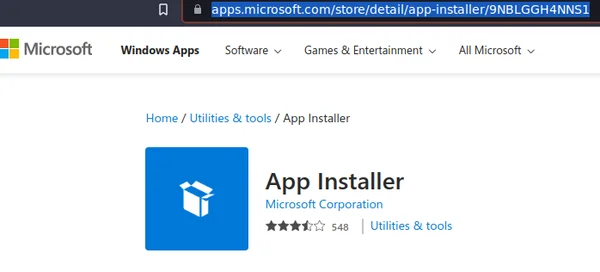
Then grab the appx from rg-adguard AND its dependancies… like this:

Direct Download with Script
Here is quick snippit that you can toss the product id in to pull it down from PowerShell.
$apiUrl = "https://store.rg-adguard.net/api/GetFiles"

$productUrl = "https://www.microsoft.com/store/productId/9nblggh5r558" # To Do
#$productUrl = "https://www.microsoft.com/store/productId/9MSPC6MP8FM4" # Whiteboard
#$productUrl = "https://www.microsoft.com/store/productId/9WZDNCRFJBB1" # Wireless Display Adapter

$downloadFolder = Join-Path $env:TEMP "StoreDownloads"
if(!(Test-Path $downloadFolder -PathType Container)) {
    New-Item $downloadFolder -ItemType Directory -Force
}

$body = @{
    type = 'url'
    url  = $productUrl
    ring = 'RP'
    lang = 'en-US'
}

$raw = Invoke-RestMethod -Method Post -Uri $apiUrl -ContentType 'application/x-www-form-urlencoded' -Body $body

$raw | Select-String '<tr style.*<a href=\"(?<url>.*)"\s.*>(?<text>.*)<\/a>' -AllMatches|
 % { $_.Matches } |
 % {
    $url = $_.Groups[1].Value
    $text = $_.Groups[2].Value
    Write-Host $text

    if($text -match "_(x86|x64|neutral).*appx(|bundle)$") {
        $downloadFile = Join-Path $downloadFolder $text
        if(!(Test-Path $downloadFile)) {
            Invoke-WebRequest -Uri $url -OutFile $downloadFile
        }
    }
}