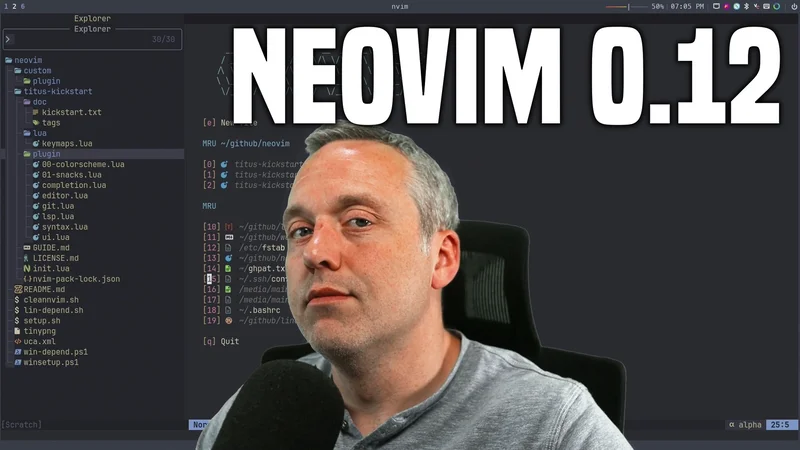
Most editors today are bloated, slow, and pretending to be IDEs while burning your RAM. Neovim 0.12 goes the other direction: less junk, more control, better speed.
This is the no-BS breakdown of what changed in my Neovim setup, why I removed the old pieces, and what actually matters in daily use.
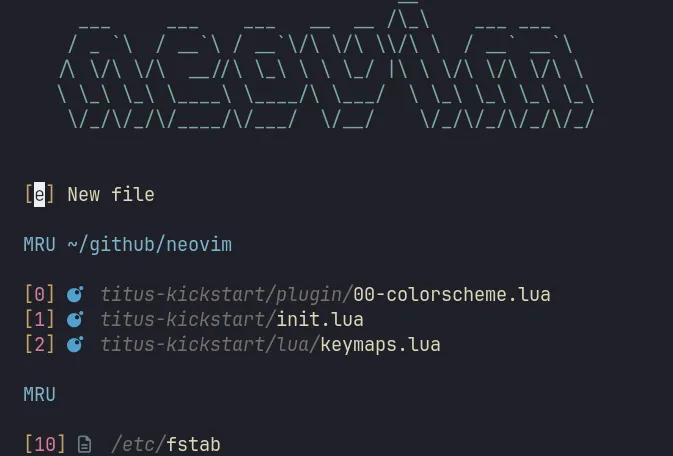
What Changed in the 0.12 Upgrade
The big architectural change was ripping out the old plugin flow and moving to Neovim’s native package path:
- Removed
lazy.nvimfrom the stack. - Migrated plugin loading to built-in
vim.pack.add(...). - Cut back external Treesitter management and used Neovim 0.12 built-in behavior first.
- Kept one focused Treesitter UI addon (
nvim-treesitter-context) for sticky context lines.
Why This Matters
This is not just “new syntax.” It is a real maintenance win:
- Fewer moving parts at startup.
- Native APIs instead of plugin-specific abstractions.
- Easier debugging because package flow is visible and explicit.
- Cleaner upgrades for future Neovim releases.
The New Design Philosophy
This config is structured like a real project, not a spaghetti pile:
init.luahandles global options and startup behavior.- Plugin responsibilities are split by concern (
lsp.lua,ui.lua,completion.lua, etc). - Keymaps are centralized and predictable.
- Linux and Windows dependency scripts fix missing tools fast.
The result is opinionated, fast, and resilient.
Feature Highlights
1) Modern Navigation and Search
snacks.nvim runs project/file/symbol/grep workflows with a fast picker experience:
- Smart file picking
- Live grep
- Project switching
- Diagnostics search
- Explorer tree + status column enhancements
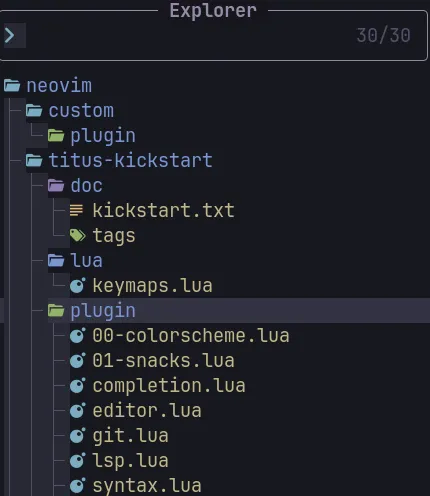
If you bounce between repos all day, this is a massive quality-of-life upgrade.
2) LSP That Feels Native
The LSP stack uses:
nvim-lspconfigmason.nvimmason-tool-installerfidget.nvimconform.nvim
Why this stack works:
- Auto-provisioning of language tools
- Clean per-server config
- Fast formatting workflow
- Better diagnostics defaults and symbols
It behaves like a serious IDE without turning into one of those slow, opaque monsters.
3) Completion + AI That Do Not Fight Each Other
Completion is built around blink.cmp and LuaSnip, with GitHub Copilot integrated as a completion source:
blink.cmpas core engineblink-cmp-copilotfor AI suggestions in the same completion flowCopilotChatfor interactive prompts and model switching
This avoids the classic popup wars where completion systems fight each other.
4) UI That Is Clean, Not Bloated
Core UI stack includes:
bufferline.nvimfor tab-like bufferswhich-key.nvimfor discoverabilitytrouble.nvim+aerial.nvimfor code structure and diagnosticsoil.nvimfor file-system editing inside Neovimtoggleterm.nvimfor terminal workflow
Everything here has a job. No filler, no random plugin bloat.
5) Editing and Content Workflows
This setup is not only for code. It also handles writing and content production:
- Markdown linting with
markdownlint-cli2 - Image paste pipeline with automatic WebP conversion
- TODO highlighting
- Multi-cursor editing
- Undo tree visualization
For content creators and technical writing, these are huge time savers.
Before vs After (0.12 Direction)
| Area | Before | After |
|---|---|---|
| Plugin Management | lazy.nvim lifecycle |
Native vim.pack.add(...) flow |
| Treesitter Strategy | Heavier external management | Built-in Treesitter first, targeted extras only |
| Config Structure | More centralized complexity | Concern-based modular plugin files |
| Debuggability | Plugin-manager indirection | Direct, native, inspectable startup path |
| Upgrade Path | Plugin compatibility friction | Closer alignment with Neovim core APIs |
Quick Start
git clone https://github.com/ChrisTitusTech/neovim ~/.config/nvim
cd ~/.config/nvim
nvim
If dependencies are missing, run the repair script for your platform:
bash lin-depend.sh.\win-depend.ps1Who This Setup Is For
Use this setup if you want:
- VS Code-like discoverability with terminal speed
- Strong Lua customization
- Native Neovim 0.12 direction instead of legacy glue
- AI-assisted coding without UI clutter
Skip this if you want a forever hands-off setup. This is for people who care about control, speed, and clarity.
Final Thoughts
Neovim 0.12 is a maturity milestone. The point is not swapping one trendy plugin manager for another. The point is reducing complexity by leaning on core Neovim features and adding only plugins that pull their weight.
That is exactly what this project does now: fewer hacks, better defaults, and a tighter editing loop.
The official Project is at https://github.com/ChrisTitusTech/neovim and the README has detailed installation and troubleshooting steps.




Comments
Comments load when this section comes into view.