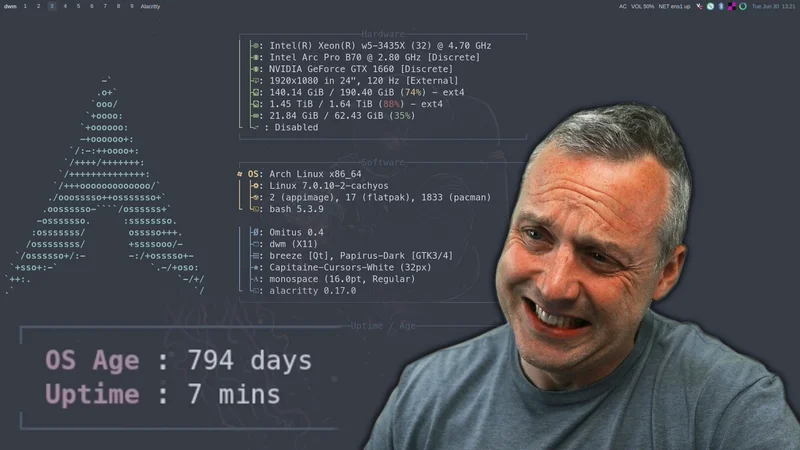
Arch Linux has always been the distro for people who want control, speed, and the newest packages as soon as they land. That is also the tradeoff. When you live on the bleeding edge and pull from community package scripts, you are taking on more responsibility than most desktop Linux users realize.
The recent AUR malware incident is a good reminder of why I am looking at Fedora differently now. Fedora gives me modern packages, a strong default security posture, and a predictable release model without needing to trust random build scripts for everything I install.
What Happened With the AUR
On June 12, 2026, Arch Linux posted an official notice about an active malicious package incident in the Arch User Repository. The Arch team said there was a high volume of malicious package adoptions and updates in the AUR, and they temporarily expected issues with new accounts, package updates, and package adoption while they worked through the problem.
This was not the official Arch package repository being compromised. That distinction matters. The AUR is community-maintained. It is one of Arch’s biggest strengths, but it is also a different trust model from the official repos.
Security reporting around the incident described attackers taking over hundreds of AUR packages and changing build or install scripts so users would execute malware when building packages. Phoronix reported more than 400 affected packages. The Hacker News described the payload as a credential stealer with optional eBPF rootkit behavior when it already had enough privileges. Other reports and community trackers discussed higher package counts as the investigation expanded.
The exact number matters less than the lesson: if a package build script runs code on your machine, then the package manager did not save you from trusting that script.
The AUR Is Powerful, But You Are the Security Boundary
The AUR is not pacman. It is not the same thing as installing from Arch’s signed official repositories. An AUR helper makes the process feel automatic:
paru -S package-nameor:
yay -S package-nameBut underneath that convenience, the helper is downloading a PKGBUILD, reading build instructions, pulling sources, and running shell commands to build and install the package. That is fine when you trust the maintainer, understand the script, and verify the changes. It is dangerous when you treat it like an app store.
This is where a lot of Arch users get lazy. I have done it too. You install something from the AUR because it is easy. You update 30 packages. The helper asks if you want to view diffs. You skip it. That is exactly the habit attackers are counting on.
The correct Arch workflow is:
paru -SyuThen review the diffs when AUR packages change. Look at:
PKGBUILD.installfiles- new curl, wget, npm, pip, cargo, or binary download steps
- changed source URLs
- added systemd services
- post-install commands
- anything that runs before you have a chance to inspect the built package
If that sounds tedious, that is the point. Arch gives you power, but it also makes you the person responsible for using that power correctly.
Arch Is Secure If You Make It Secure
Arch is not “insecure” because it is Arch. That is too simple. The official repositories use package signing, the project moves quickly on fixes, and the Arch community is full of people who know exactly what they are doing.
The issue is the default posture.
Arch starts minimal. You choose the desktop, services, firewall, sandboxing, backup strategy, update cadence, and how much third-party packaging you trust. That is great for advanced users. It is not great for people who want sane security defaults without building the entire operating model themselves.
On a default Arch install, you are often the one deciding:
- whether a firewall is installed and enabled
- whether services should be confined
- whether Flatpak apps should be preferred over random AUR packages
- whether snapshots are configured before big updates
- whether AUR changes are reviewed or blindly accepted
- whether a proprietary binary from a random source belongs on the system
That is not a failure of Arch. It is the design. Arch gives you a clean base and expects you to know what you are doing.
Bleeding Edge Has a Cost
Arch is a rolling release. That means package updates arrive continuously instead of being held for a traditional versioned release. For many desktop users, this is amazing. You get new kernels, Mesa, desktop environments, compilers, and applications fast.
The cost is that the whole system is always moving.
Most of the time, this works. Sometimes, a library changes and a proprietary application breaks. Sometimes, a kernel update exposes a driver problem. Sometimes, an AUR package assumes something about the system that changed yesterday. Sometimes, upstream shipped a regression and Arch users are among the first people to find it.
If you like debugging, Arch is fantastic. If you need the machine to be boring, Arch can become work.
That is the real question: do you want your daily driver to be a hobby project or a workstation?
Why Fedora Looks Better Right Now
Fedora is not technically a rolling release in the same way Arch is. Fedora Rawhide is the rolling development branch. Normal Fedora releases are versioned releases, with a new release about every six months and updates for about 13 months.
That difference is exactly why Fedora hits a useful middle ground.
Fedora is modern without being reckless. You get current kernels, Mesa, GNOME, KDE, development tools, PipeWire, Wayland work, container tooling, and a fast-moving desktop stack. But those packages move through Fedora’s packaging, testing, and release process instead of landing as a nonstop rolling stream like Arch.
For a desktop user, that means Fedora usually feels fresh without making every update feel like a mini migration.
Fedora’s Security Defaults Matter
Fedora also starts from a stronger security baseline. SELinux is enabled by default in enforcing mode. Firewalld is installed by default. The project has a long history of pushing hardening changes early and integrating them into the distro instead of leaving every user to bolt them on later.
That does not make Fedora magically secure. You can still install bad software, run random scripts, weaken SELinux, open firewall ports, or add unsafe third-party repositories. But the default posture is different.
On Fedora, a normal user starts with:
- SELinux enforcing
- firewalld available by default
- signed RPM repositories
- a predictable release lifecycle
- Flatpak as a common desktop app path
- strong upstream alignment with Red Hat and the wider Linux ecosystem
That is a better default for most people than a minimal system where every security decision is pushed onto the user.
Stable Does Not Mean Old
People hear “stable packages” and think “ancient packages.” That is more Debian than Fedora.
Fedora is not an LTS distro. It is not trying to freeze the desktop for five years. Fedora is closer to a fast, tested snapshot of the Linux ecosystem. You get new software quickly, but within a release structure that is easier to reason about than a pure rolling release.
That is why Fedora makes sense for a power user who still wants modern hardware support and current desktop features. You do not have to choose between “everything is old” and “everything changes every day.”
For most users, Fedora is the better balance:
- newer than Ubuntu LTS or Debian Stable
- more predictable than Arch
- more secure out of the box than a minimal DIY install
- less dependent on community build scripts for common software
- still flexible enough for advanced users
When Arch Still Makes Sense
I am not saying everyone should delete Arch.
Arch still makes sense if:
- you enjoy building the system yourself
- you want the newest packages immediately
- you read update news before upgrading
- you review AUR diffs
- you keep backups or snapshots
- you understand how to recover from a broken system
- you know which AUR packages you actually trust
Arch is still one of the best learning distros ever made. It forces you to understand Linux in a way most distros do not. That is valuable.
But there is a difference between a learning system and a production daily driver. If your machine is how you make videos, write code, run a business, manage servers, or do client work, then predictable defaults matter more.
My Takeaway
The AUR incident did not prove that Arch is bad. It proved that the AUR trust model requires attention, and most users do not give it enough attention.
That is the part that should make people rethink their setup.
If you are using Arch because you love the control and you actually review what you install, keep using Arch. If you are using Arch because a helper made the AUR feel like a giant one-command app store, you are probably taking more risk than you think.
Fedora gives me most of what I want from modern Linux without making the whole system a constant trust exercise. It is current, secure by default, stable enough for real work, and still close enough to upstream that it does not feel stale.
That is why switching from Arch to Fedora makes sense now.
Sources
- Arch Linux: https://archlinux.org/news/active-aur-malicious-packages-incident/
- Phoronix: https://www.phoronix.com/news/Arch-Linux-AUR-400-Compromised
- The Hacker News: https://thehackernews.com/2026/06/over-400-arch-linux-aur-packages.html
- Fedora release lifecycle: https://docs.fedoraproject.org/en-US/releases/lifecycle/
- Fedora security features: https://fedoraproject.org/wiki/Security_Features




Comments
Comments load when this section comes into view.