Setup Qemu in Debian Linux
This is guide on setting up QEMU in Debian Linux.
Check Virtualization Extension
Run this command to make sure you’ve enabled virtualization in on your computer. It should be above 0
egrep -c '(vmx|svm)' /proc/cpuinfo
If the output is zero then go to bios settings and enable VT-x (Virtualization Technology Extension) for Intel processor and AMD-V for AMD processor.
Install QEMU and Virtual Machine Manager
sudo apt install qemu-kvm qemu-system qemu-utils python3 python3-pip libvirt-clients libvirt-daemon-system bridge-utils virtinst libvirt-daemon virt-manager -y
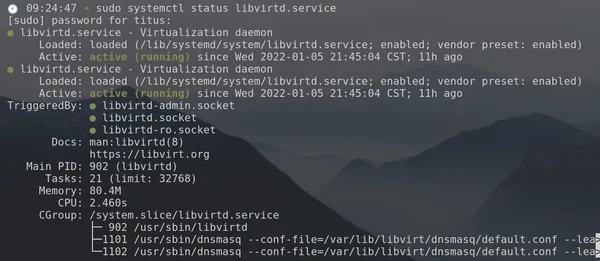
Verify that Libvirtd service is started
sudo systemctl status libvirtd.service
Start Default Network for Networking
VIRSH is a command to directly interact with our VMs from terminal. We use it to list networks, vm-status and various other tools when we need to make tweaks. Here is how we start the default and make it auto-start after reboot.
sudo virsh net-start default
Network default started
sudo virsh net-autostart default
Network default marked as autostarted
Check status with:
sudo virsh net-list --all
 Name      State      Autostart   Persistent
----------------------------------------------
 default   active       yes          yes
Add User to libvirt to Allow Access to VMs
sudo usermod -aG libvirt $USER
sudo usermod -aG libvirt-qemu $USER
sudo usermod -aG kvm $USER
sudo usermod -aG input $USER
sudo usermod -aG disk $USER
Reboot and you are Finished!