This How-To shows you how to get rid of Amazon Fire Launcher without root access. Amazon Fire 5.3.3 OS can’t be downgraded or rooted, and since the Fire tablet line auto-updates, this leads many folks with the horrible experience of using the Fire OS with their gimped store/subscriptions.
This 2017 procedure is retained for historical reference. The SuperTool download is gone, and LauncherHijack is deprecated and may not install on current Fire OS releases.
The process to use Google Services and Googles Store instead is a bit involved but entirely doable on the Fire Tablets without having to root it. From then on, you don’t have to navigate the out of date and limited Amazon App Store.
Here is the process
- Enable ADP USB Debugging (Settings -> Device -> Tap Serial 10 Times -> Select Developer options -> Turn ADP Debugging ON)
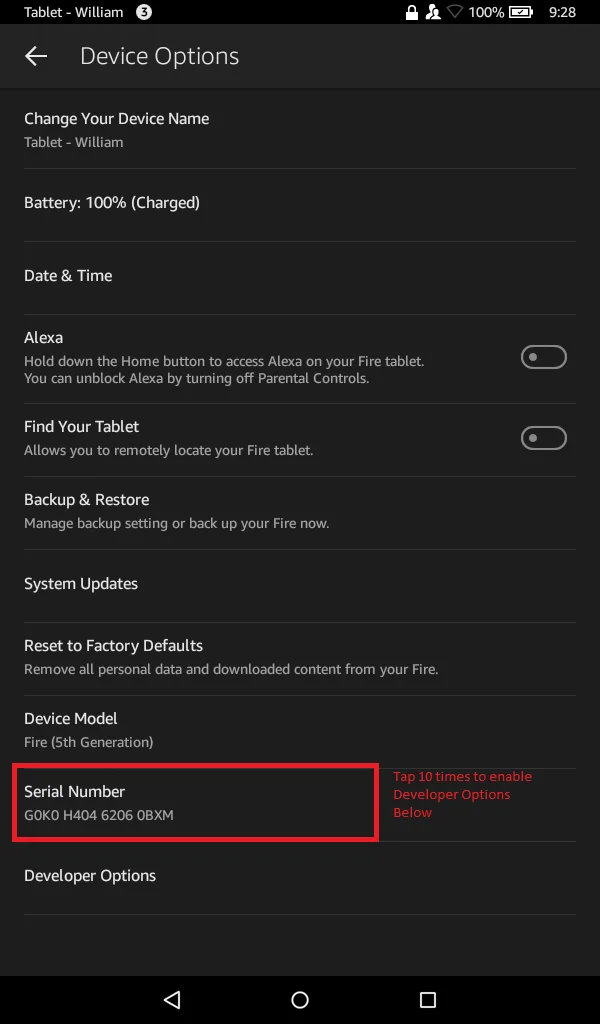
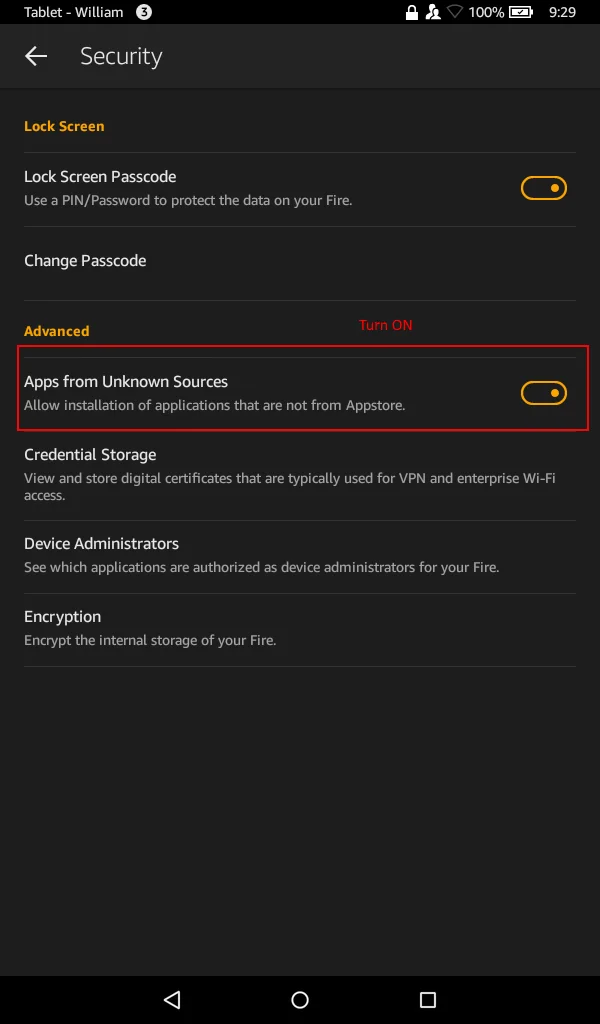
- Enable Downloads from Unknown Sources (Settings -> Security -> Allow Unknown Sources ON)
- Install Google Play Services
- Plug Device into USB on Computer and run the Supertool as Administrator
- On Tablet Select Always Allow this computer and press OK
- The original SuperTool ZIP download is no longer available.
- Run 1-Amazon-Fire-5th-gen.bat
- Select Install Google Play Services/Framework
- Wait for it to Finish and Close the program
- Plug Device into USB on Computer and run the Supertool as Administrator
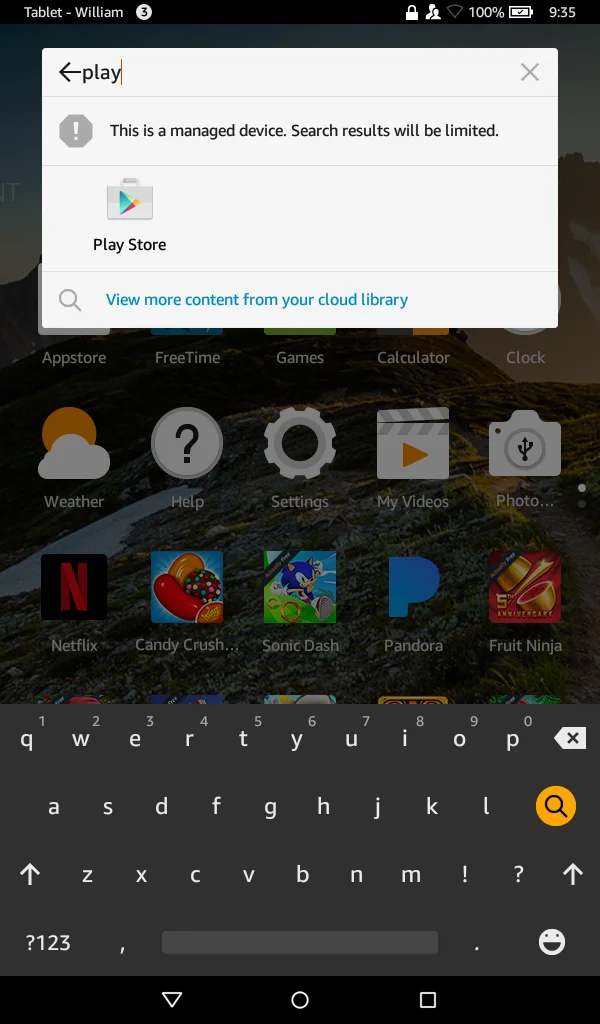
- Launch Google Play using Search on Home Screen
- Sign-in to Google
- Update Google Play Services (Note: you can type Google Play Services in or launch update from the notifications tray — This will take 5-10 minutes to update)
- Install Nova Launcher from Play next
- The former LauncherHijack APK is no longer distributed as a supported download. Its archived source remains at https://github.com/BaronKiko/LauncherHijack.
Note: The project owner has deprecated LauncherHijack and recommends building it from source with a different package name only if you understand the Android build process.
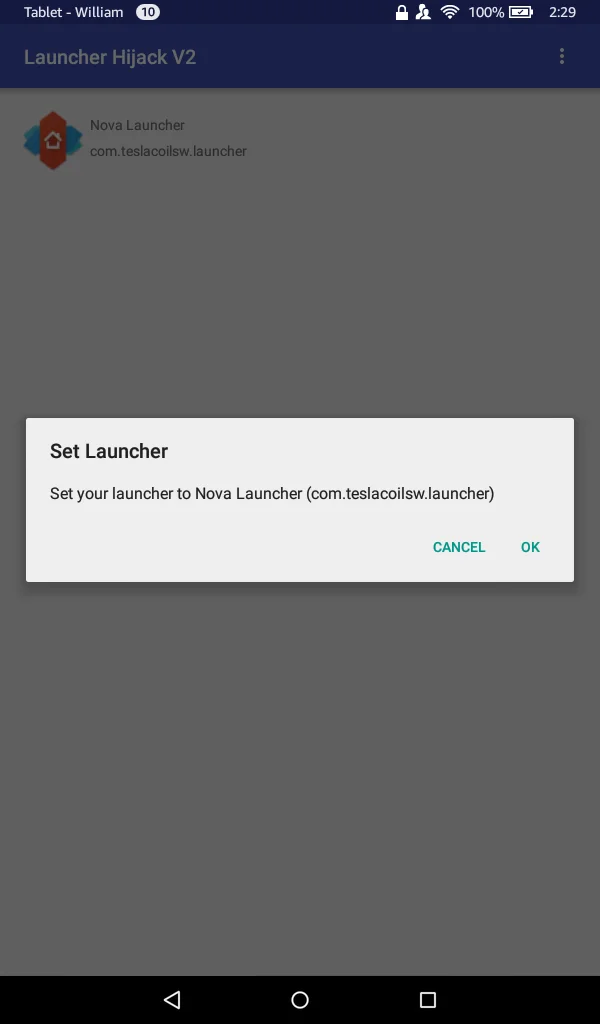
- Install the HijackLauncherV2.apk and Open it
- Select Nova Launcher in the App and hit Ok at the prompt
- Go back to settings -> Accessibility ->To detect home button press -> Switch to On
Finished, Enjoy being able to use Google Services on your Amazon Fire!




Comments
Comments load when this section comes into view.