
Zed is what happens when an editor is built for speed first. It is written in Rust, rendered with the GPU, and feels instant in a way most Electron-based editors never do.
If you want VS Code comfort without Electron drag, Zed is a sharp middle ground that still delivers LSPs, Vim mode, terminals, Git, remote development, and AI.

Quick Takeaways
- Zed feels fast because it is GPU-rendered and native
- You get IDE-grade features without plugin sprawl
- Threads in 1.0 make parallel AI work practical instead of messy
| Feature | Why it matters |
|---|---|
| Native Rust + GPU UI | Smooth scrolling, low latency, and a desktop app that feels light. |
| Built-in language support | LSPs, completions, diagnostics, formatting, and debugging without turning setup into a side quest. |
| Vim mode + clean keybindings | Great for keyboard-heavy workflows without needing a giant config. |
| Terminal, Git, and tasks | Keeps editing, running, and reviewing code in one place. |
| Remote development | SSH and dev container workflows make it easy to work on servers and larger projects. |
| AI that stays integrated | Edit prediction, agent workflows, and provider choice without making the editor feel bolted on. |
Basic Zed Features
At a basic level, Zed covers everything most people actually need in a daily editor:
- Fast file search and project-wide search
- Syntax highlighting, LSP completions, diagnostics, and formatting
- Built-in terminal and Git integration
- Vim mode and strong keyboard-first workflows
- Markdown preview, tasks, and remote development
That is really the appeal: it feels simple on the surface, but it already has the core IDE features most developers want without feeling bloated.
If you want to add Vim bindings or mode to Zed, see the Vim docs.
My Zed Customizations
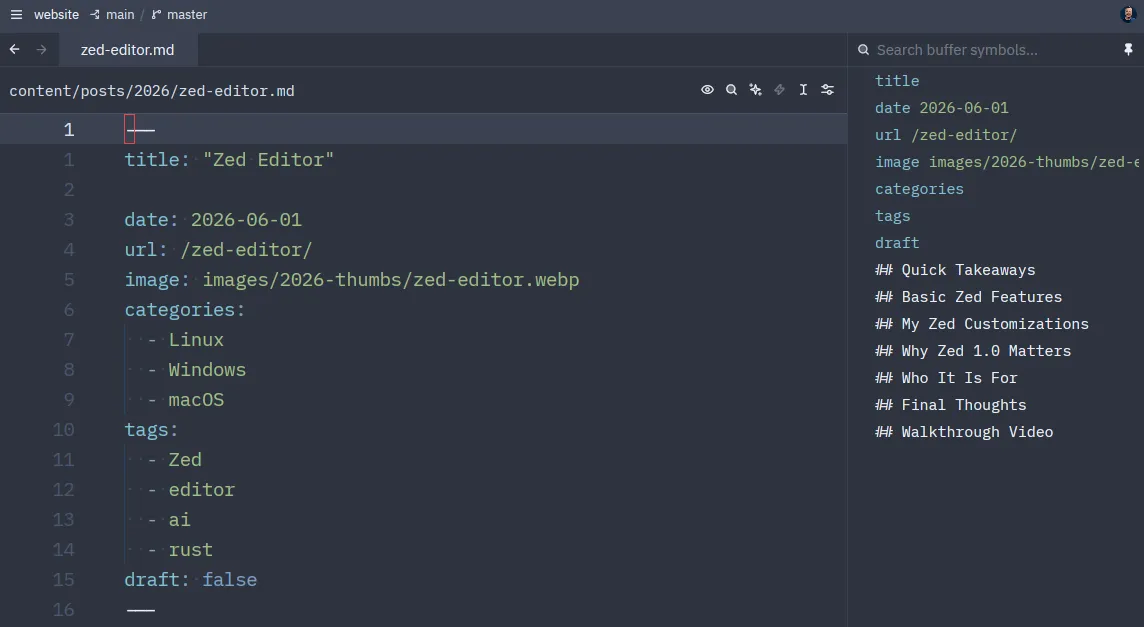
My setup is based on the configs in zed-titus, and the goal is pretty straightforward: make Zed feel faster, cleaner, and more keyboard-driven.
The big changes are:
- VS Code base keymap + Vim mode for a familiar foundation with modal editing on top
- Maple Mono NF with Maple Dark / Maple Light for a clean, readable look
- Right-side panels for Git, project tree, outline, collaboration, and AI so the layout stays consistent
- Relative line numbers, inlay hints, inline blame, autosave, and edit predictions to keep coding flow smooth
- Copilot-first AI setup with favorite models and permissive terminal/fetch tools for agent workflows
- Custom keybindings for file finding, search, code actions, diagnostics, Git hunks, markdown preview, terminal toggling, and pane navigation
- Custom tasks for content work, especially a Save clipboard image (Hugo) action that runs my Bash helper instead of relying on extra file-picker tooling
One of the most useful parts of that setup is the image task. Instead of manually pasting screenshots, converting them, moving them into the right Hugo folder, and then writing the markdown link by hand, the task does the boring part for me. It grabs an image from the clipboard, converts it to WebP, saves it into the website’s yearly image directory, inserts the markdown image link into the open post, and copies that link back to the clipboard.
That makes Zed feel less like just a code editor and more like a fast writing workflow for the site itself.
So the custom setup is not about turning Zed into a totally different editor. It is more about sharpening the defaults, improving navigation, and making AI plus Vim-style editing feel natural.
Why Zed 1.0 Matters
Zed 1.0 feels like the point where the editor stopped being “interesting” and became ready for serious daily use.
The biggest 1.0 addition is Threads support. The new Threads Sidebar lets you run multiple agent threads in parallel, organize them by project, stop or archive them quickly, and keep work across repos separated without losing the bigger picture.
That lands on top of the stuff that already makes Zed compelling:
- real performance
- multiplayer collaboration baked into the editor
- strong Git and remote workflows
- cross-platform support on Linux, Windows, and macOS
Who It Is For
Zed makes the most sense if you want a fast editor with modern IDE features, but you do not want the usual Electron sluggishness or plugin sprawl.
If VS Code feels heavy and Neovim feels too DIY, Zed sits in a really good spot between the two.
If you want the DIY route instead, my Neovim setup is here: Neovim the Elite Editor.
Final Thoughts
Zed 1.0 is not just another editor release. It is one of the few tools that actually feels new: fast, polished, collaborative, and now much better at handling parallel AI work thanks to Threads.
If you want to try it, grab Zed at zed.dev and see the exact config I use in zed-titus.


Comments
Comments load when this section comes into view.